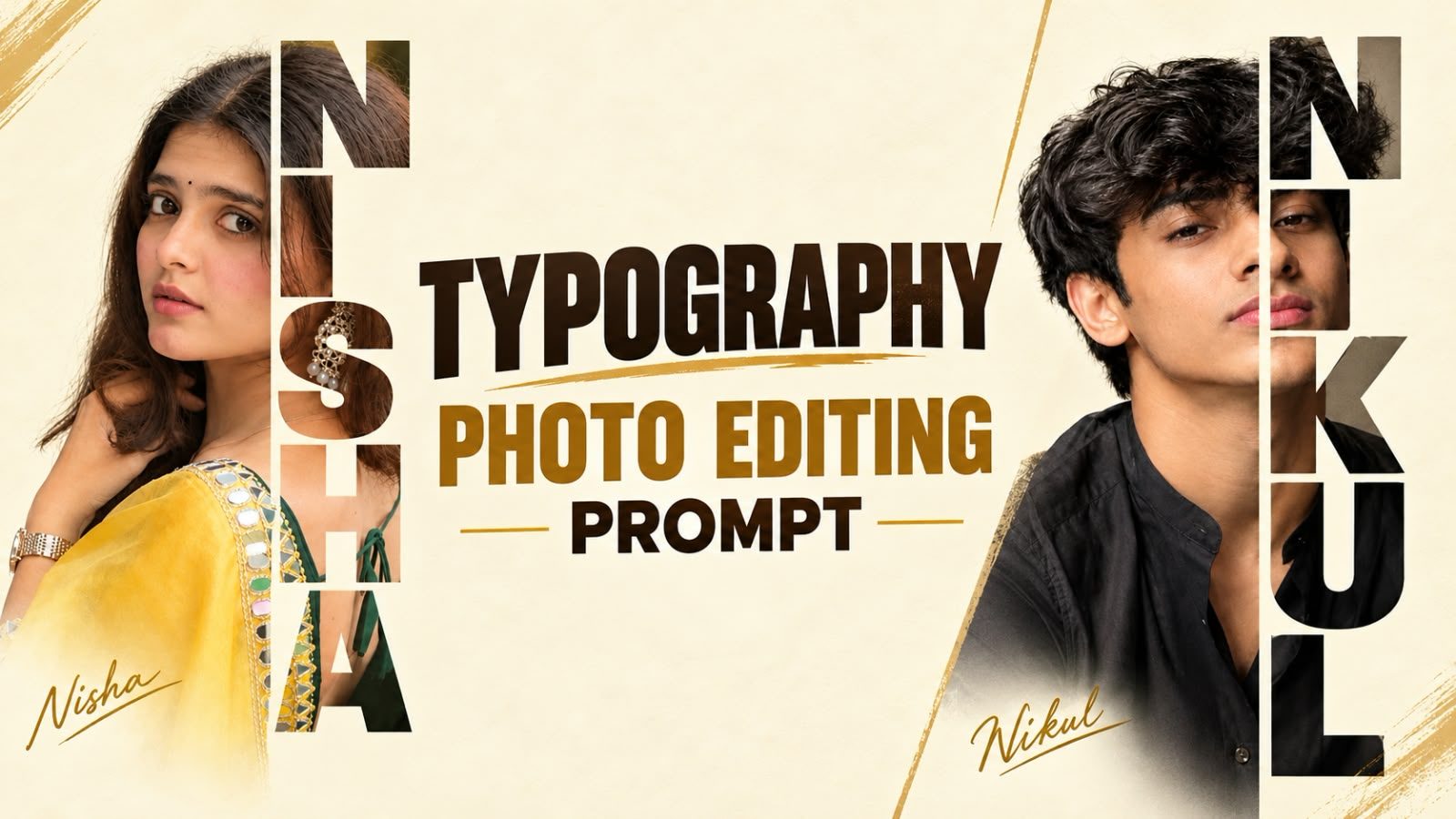
Typography Photo Editing Prompt - Name Letter Portrait
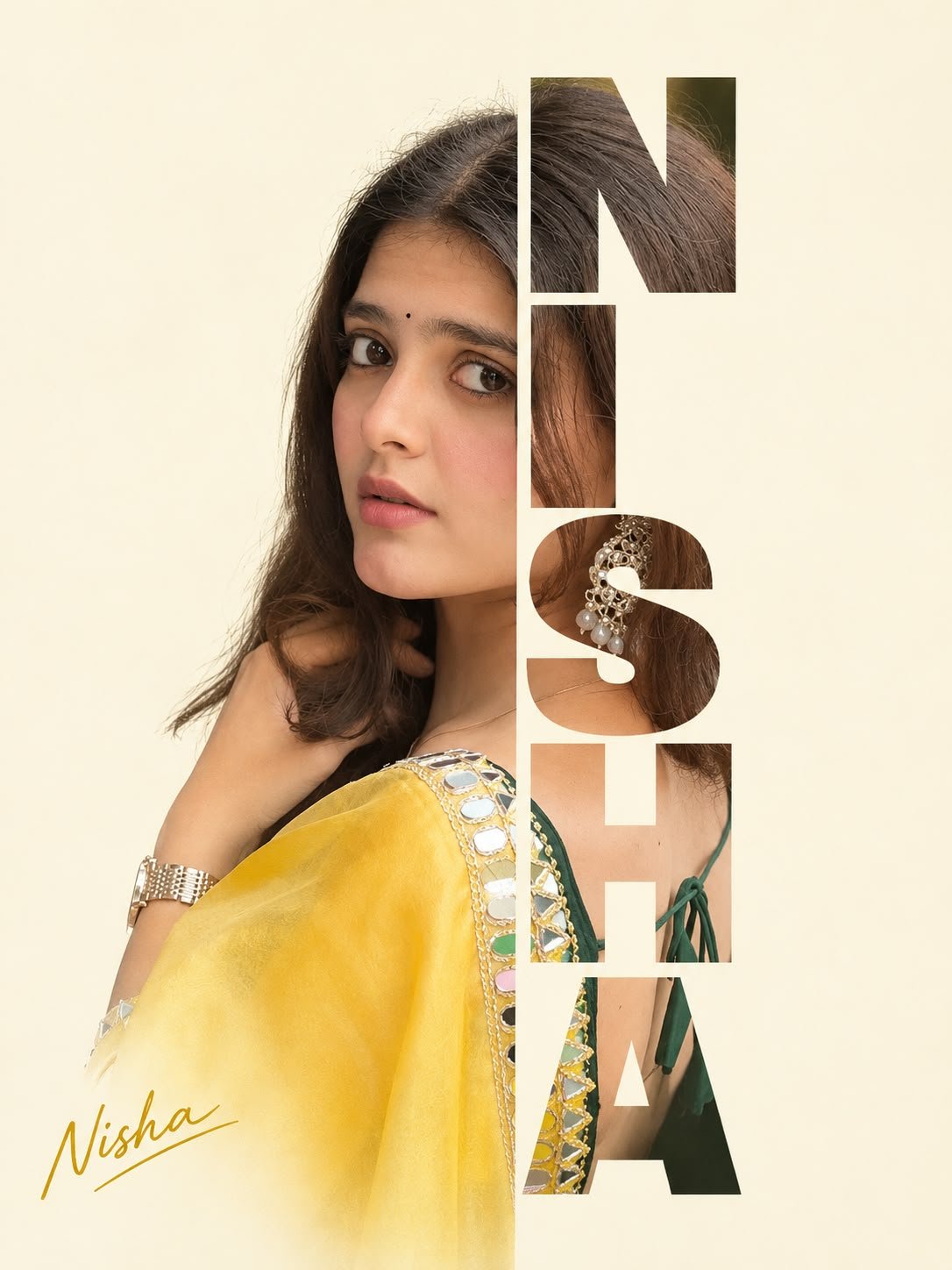
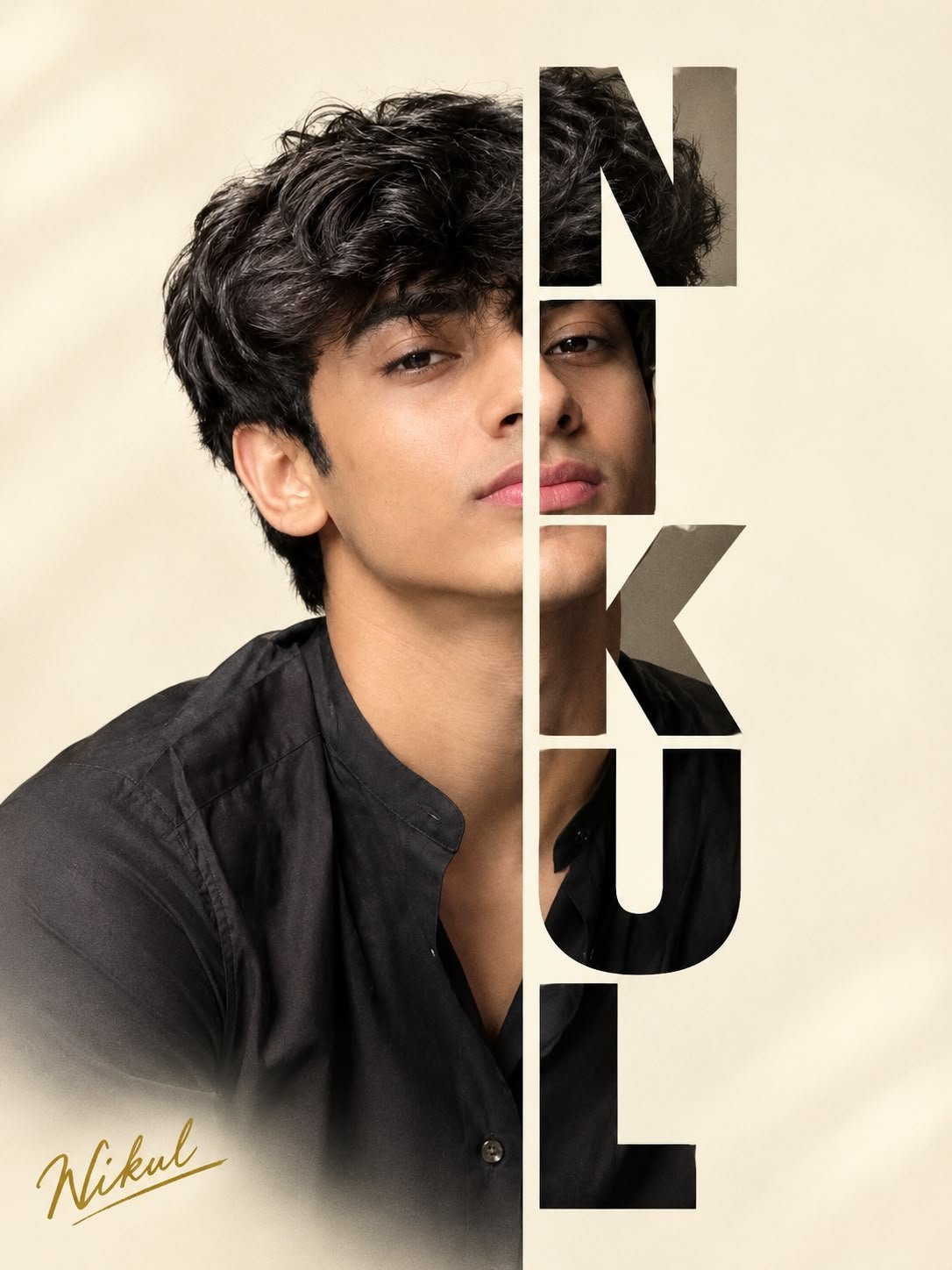
Typography portraits are one of the cleanest photo edits trending on Instagram right now. Half of the face stays as a normal photo, and the other half is cut into the letters of your name, stacked one letter per line. A gold handwritten signature in the corner finishes the look. It feels like a magazine cover, and it takes just one photo and one short prompt.
Below you will see two results made with the same prompt, one for a girl and one for a boy, followed by the full prompt ready to copy. Just replace the name and upload your photo.
Typography Photo Editing Prompt - Name Letter Portrait
The prompt keeps the left half of the face visible on a soft cream background. The right half is shown only through the bold uppercase letters of the name, so the photo continues inside each letter. Here is how it looks with two different names.
Copy Prompt ⤵️
Replace both [NAME] placeholders with your name before you run it. The first one becomes the big vertical letters, and the second one becomes the gold signature. You can use the same name in both places or, for example, a short name in the letters and your full name in the signature.
Why This Edit Looks So Good
- Clean background. The cream colour keeps all attention on the face and the letters.
- One continuous photo. The image flows through the letters instead of being pasted inside them, so it looks like one design.
- Personal touch. Your own name turns a normal portrait into something made just for you.
- Works for everyone. As the two examples show, it suits traditional and casual looks, girls and boys alike.
Choosing the Right Name Length
The letters are stacked one per line, so the length of the name changes the look. Names with four to six letters, like NISHA or NIKUL, fill the height of the poster perfectly. A very short name of two or three letters gives big, bold blocks, while a long name makes the letters smaller and thinner.
If your name is long, try using a nickname or your first name only in the letters, and write the full name in the signature.
Preparing Your Photo
- Use a clear portrait where the face looks towards the camera or is slightly turned.
- Make sure the whole face is visible, because the right half is shown through the letters.
- Soft daylight works best and matches the cream background.
- Avoid sunglasses, heavy filters and photos forwarded many times through chat apps.
- Hair, earrings and outfit details look great inside the letters, as you can see in the examples.
Step by Step
- Open an AI image tool that accepts a photo with text, such as ChatGPT with image generation, Google Gemini or Grok.
- Upload your portrait photo.
- Copy the prompt above and replace both [NAME] placeholders with your name.
- Paste the prompt below the photo and send it.
- Download the result in the highest quality. Generate once or twice more if a letter or the signature is not perfect.
Fixing Common Problems
- The name is misspelled. Repeat the exact spelling at the end: the letters must spell N I S H A exactly (with your own name).
- The face is duplicated or shifted. Add use one single photo, do not repeat the eyes, nose or lips.
- All letters are on one line. Repeat one letter per line, stacked vertically on the right side.
- The face looks changed. Add keep my exact face, no beauty filter, no face reshaping.
- The background is not cream. Add plain warm cream background, no patterns.
Ideas to Try
- Make one for your best friend or partner with their name as a birthday surprise.
- Change gold signature to silver or black for a different mood.
- Try a black and white photo for a classic, editorial look.
- Use it as your Instagram profile highlight cover or as a phone wallpaper.
More Photo Editing Prompts
- Minimalist Collage Photo Prompt - an editorial magazine style edit.
- Beautiful Eyes Photo Prompt - three close-up portrait prompts.
- Romantic Couple Photo Prompt - three cinematic couple portraits.
- Trending Happy Birthday Poster Prompt - scrapbook and floral birthday posters.
Frequently Asked Questions
Can I use this prompt for free?
Yes. The prompt is free to copy, and tools like ChatGPT, Gemini and Grok let you try it on their free plans, with a daily limit on images.
Can I put the letters on the left side instead?
Yes. Swap the words in the prompt: keep the right half visible and crop the left half into the word. Move the signature to the bottom right as well.
Does it work with a name in Hindi or Gujarati?
AI tools are much more accurate with English letters. Other scripts often come out with mistakes, so English uppercase letters give the cleanest result.
What size is the final image?
The prompt asks for a 3:4 vertical portrait, which fits an Instagram post and looks good as a printed photo.
Conclusion
The typography photo editing prompt turns a simple portrait into a personal, magazine style design with your name built right into the photo. Pick a clear photo, replace both name placeholders, and check the spelling of the letters before you post. One or two tries is usually all it takes to get a result you will want to share.