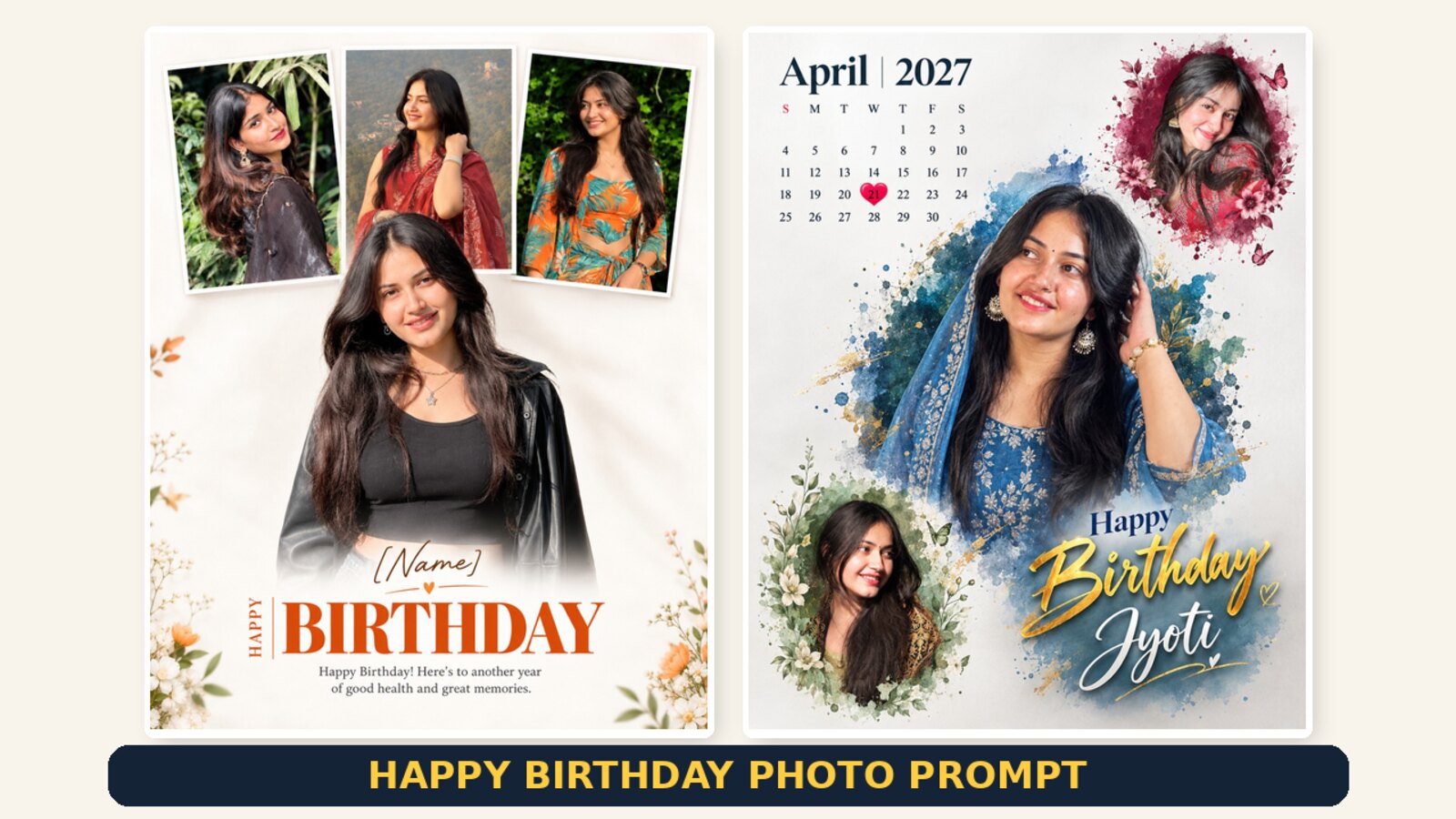
Happy Birthday Photo Prompt – 2 Premium AI Birthday Poster Prompts
A birthday poster made from your own photos says more than a forwarded greeting image. The two prompts on this page build two different designs from the same set of pictures: a clean photo collage with the name and a birthday line, and a watercolour calendar poster with the birthday date marked with a heart.
Both prompts are complete and ready to copy. Each one sits under the design it produces, and both are written to keep the faces in your uploaded photos unchanged, which is the part AI tools usually get wrong.
Prompt 1 — Clean Four Photo Birthday Poster
This design uses four photos: three smaller ones across the top and one large hero portrait below. The background stays white, so the photos do the work. It is the easier of the two to get right, because there is no calendar and no artwork for the tool to invent.
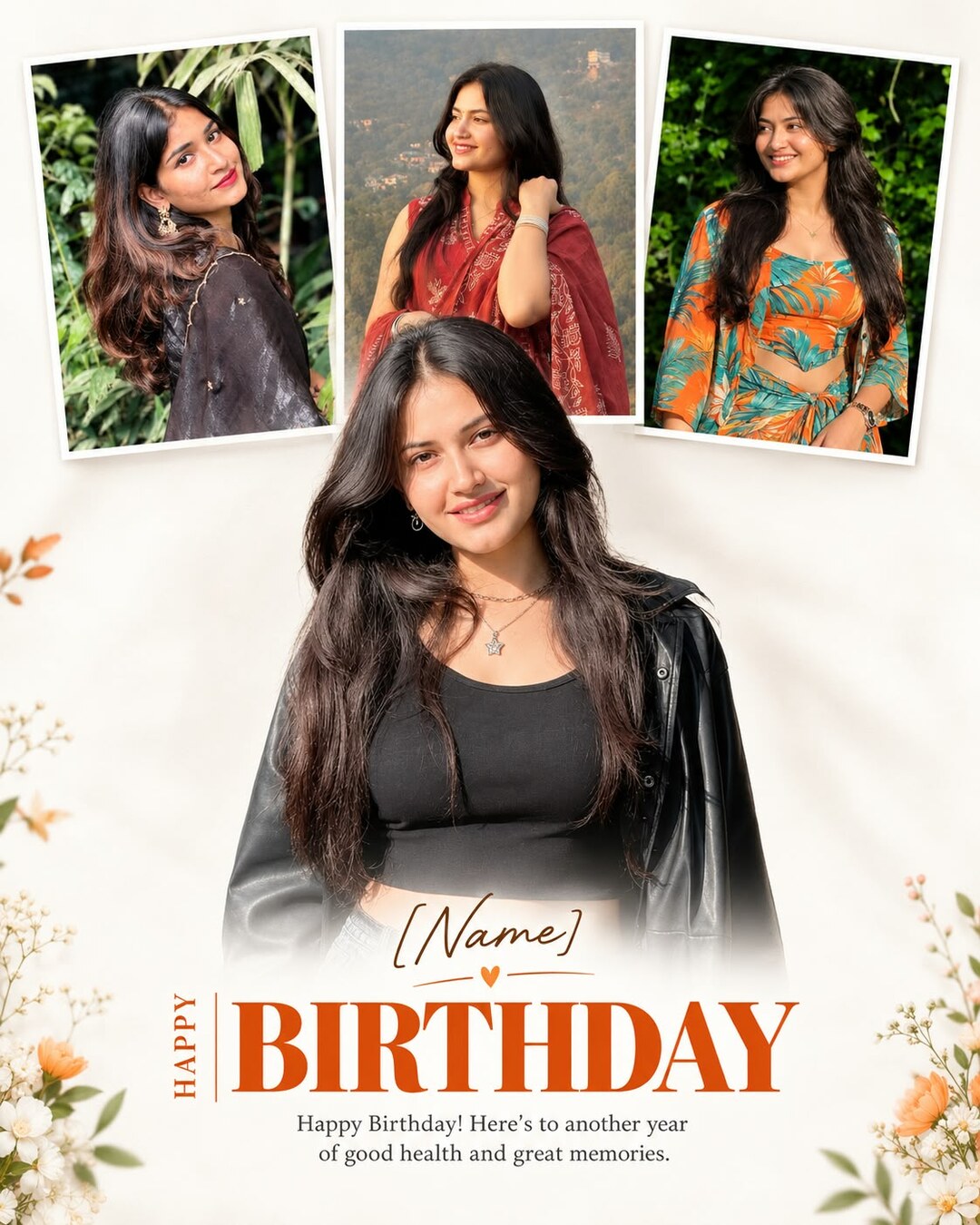
Copy Prompt ⤵️
Before you run it, replace [NAME] in the prompt with the actual name you want printed on the poster.
Prompt 2 — Watercolour Birthday Calendar Poster
This one builds a full calendar page: month and year at the top left, the birthday date marked with a heart, and three portraits set into watercolour paint splashes. It is the more ambitious design and usually needs a few more attempts, mainly because calendars and text are where AI image tools are weakest.
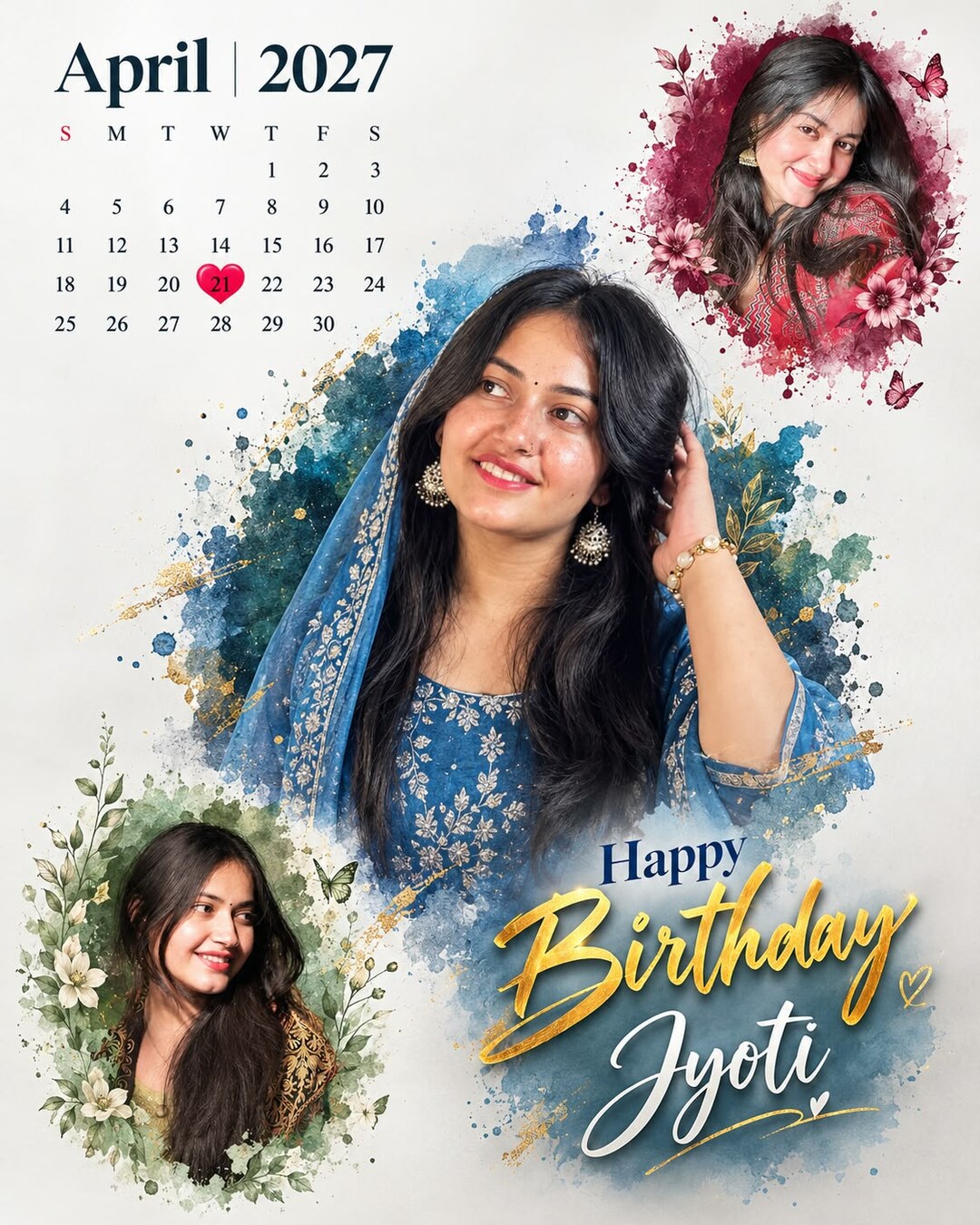
Copy Prompt ⤵️
Change three things before running it: the month and year (April | 2027), the date to highlight (21), and [NAME] at the bottom. Everything else can stay as it is.
Which One Should You Use?
- Prompt 1 if you want a clean result on the first or second attempt, and if the photos matter more than the design.
- Prompt 2 if you want something that looks designed rather than arranged, and you do not mind generating it several times.
- Both, if you have time. They use the same photos, so you can run one after the other and post whichever came out better.
Preparing Your Photos
Both prompts place several photos into one frame, so the set you upload matters more than the wording. Photos that already look like they belong together give a poster that looks designed; a mix of bright, dark and blurry pictures gives a patchy one.
- Four clear photos of the same person, taken in reasonably similar light.
- Keep one photo as the main portrait — ideally a half-body shot where the face is clear.
- Avoid pictures that have been forwarded through chat apps several times. The compression shows once the photo is enlarged in a poster.
- Portrait orientation suits both designs better than landscape.
Step by Step
- Open an AI image tool that accepts photos along with text — ChatGPT with image generation, Google Gemini or Grok.
- Upload all the photos together in one message.
- Edit the prompt first: replace [NAME], and for Prompt 2 the month, year and date.
- Paste the full prompt below the photos and send it.
- Download the largest file the tool offers, then run it again once or twice and keep the best version.
Fixing the Problems That Come Up Most
- The calendar dates are wrong. This is the single most common failure, and it is a known weakness of AI image tools. Either generate the poster without the calendar grid and add it in a phone editor, or keep regenerating until the dates line up.
- The name is misspelled. Same cause. Ask for the design without the name and add the text yourself afterwards — it takes a minute and always comes out correct.
- Only one or two photos were used. Repeat it plainly: use all four uploaded photos, one in each position, do not duplicate any photo.
- The face was changed or beautified. Add preserve the exact face from the uploaded photo, do not smooth or reshape.
- The poster came out square. Add vertical 4:5 format, which is already in both prompts but sometimes needs repeating.
- The design feels cluttered. Add more white space, simpler decoration. For Prompt 2 you can also ask for fewer paint splashes.
Where to Use the Finished Poster
- Instagram post — 4:5 is already the right shape, around 1080×1350 pixels.
- WhatsApp status — posts as a single image without cropping.
- Printed photo — both designs print well at small sizes. Generate at the largest size available if you plan to print.
- Story — add the poster onto a plain background in the Stories editor rather than stretching it to 9:16.
More Birthday and Photo Prompts
- Happy Birthday Photo Editing Prompt — a simpler birthday layout built from fewer photos.
- Birthday Photo Calendar Prompt — five calendar design variations: floral, luxury, romantic, minimal and poster style.
- Beautiful Eyes Photo Prompt — three close-up portrait prompts.
Frequently Asked Questions
Can I use fewer than four photos?
Yes. Change the photo rules at the top of Prompt 1 to the number you have, for example use all three uploaded photos exactly once. With fewer photos the layout becomes simpler, which usually makes it cleaner.
Why do AI tools get calendar dates wrong?
Image tools draw text as shapes rather than writing it, so a grid of thirty numbers in the right order is near the limit of what they handle. Checking the dates before posting is worth the few seconds it takes.
Can I make this for someone else’s birthday?
Yes, that is what both prompts are for. Upload their photos instead of yours, and ask them first, because the photos are sent to the AI service you are using.
Can I change the colours?
Yes. In Prompt 1 replace orange/warm-red typography with the colour you want. In Prompt 2 replace the blue and burgundy watercolour descriptions. Keep the layout lines unchanged so the composition stays the same.
Conclusion
Two prompts, two different birthday posters: one clean and photo-led, one designed and decorative. Replace the name and the date before you run them, upload four photos that suit each other, and check any text in the result before you post it. If the words or the calendar come out wrong, generate the design without text and add it yourself — that one habit saves more time than anything else with poster prompts.