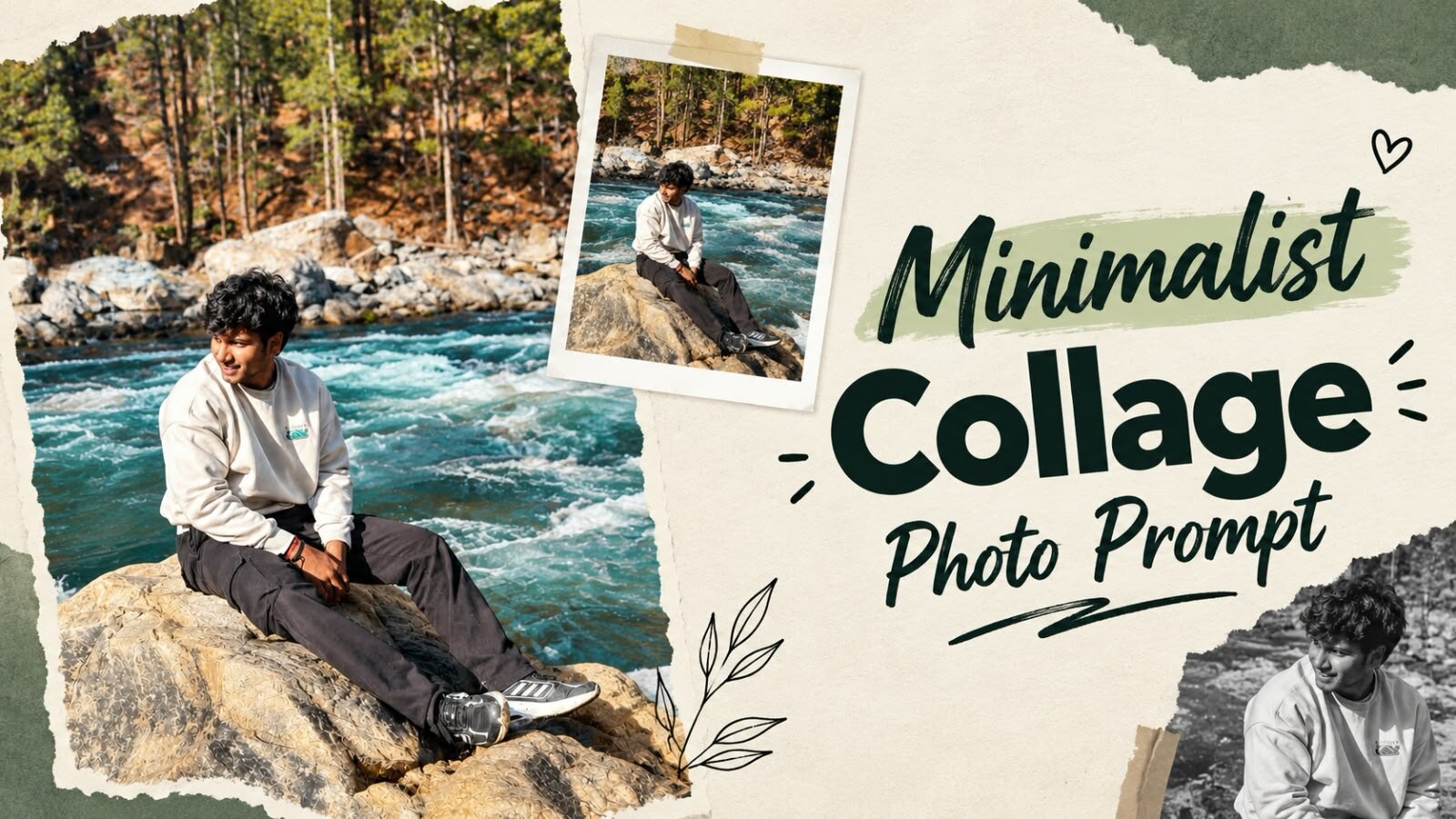
Minimalist Collage Photo Prompt – Editorial Magazine Style Photo Editing
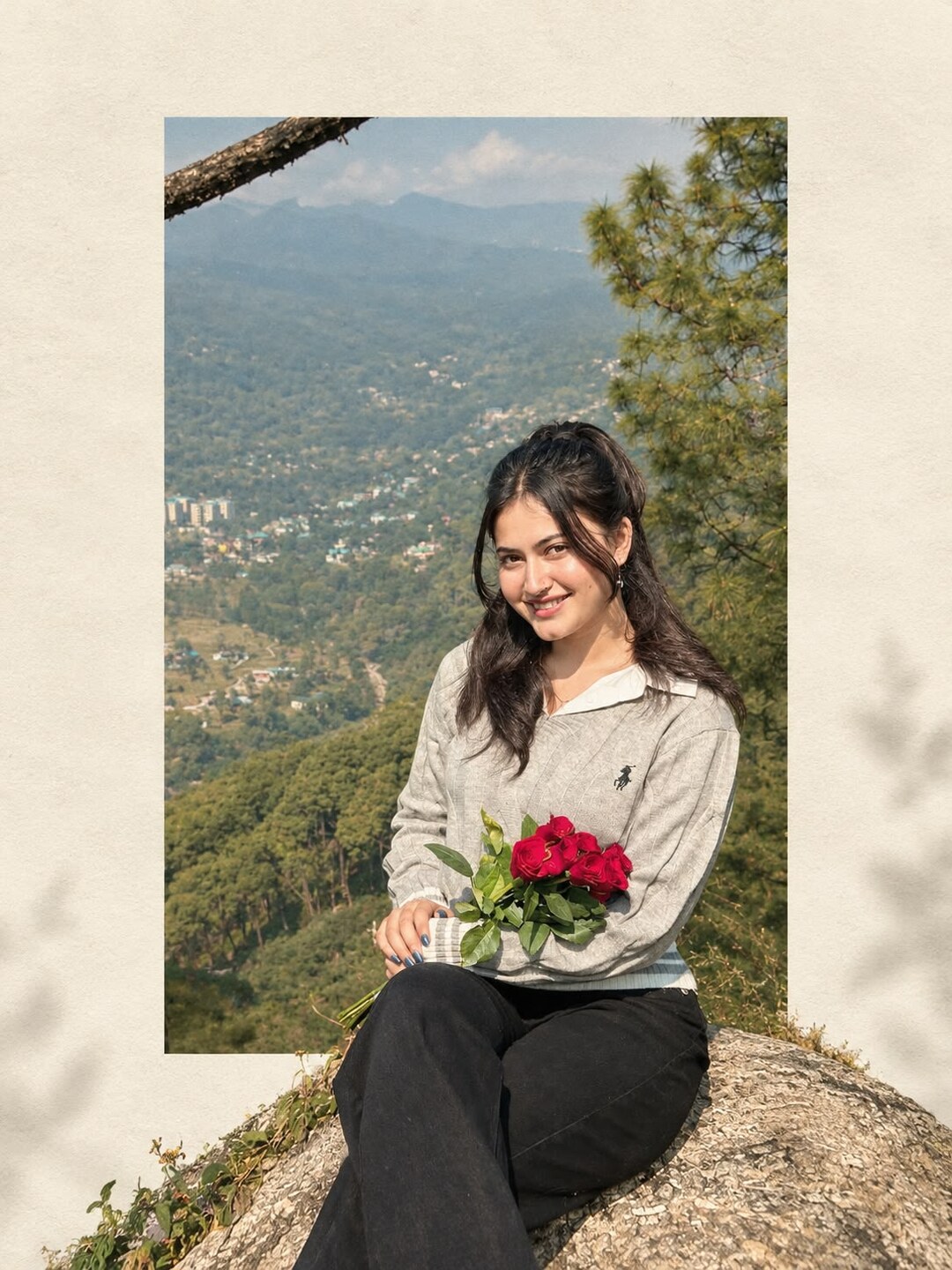
The minimalist collage look takes an ordinary outdoor photo and places it on a plain ivory page, the way a travel magazine lays out a full-page picture. Part of the photo sits inside a clean rectangle, and the person steps out past the edge of that rectangle into the empty space. It works because of the space around the photo, not because of effects added on top of it.
The complete prompt is below with a copy button, followed by the photo requirements and the fixes for the problems that come up most often with this style.
Copy Prompt ⤵️
What This Prompt Actually Builds
It is worth knowing what each part of the prompt controls, because that tells you which line to change when the result is not what you wanted.
- Warm ivory textured background — the empty space the photo sits on. Remove this and the editorial feel disappears.
- Clean vertical rectangular frame — holds the original scenery, so the landscape stays recognisable.
- Subject extending beyond the bottom edge — the single detail that makes it look designed instead of cropped.
- Foreground rock breaking the frame — adds depth, so the photo does not look pasted on.
- Muted earthy tones and subtle film grain — the colour treatment that ties the photo to the paper background.
- Strict 3:4 vertical ratio — the page shape, which is what makes it read as a magazine page rather than a square post.
- No text, logos or extra objects — keeps the empty space clean so you can add your own caption later.
Which Photo Works Best
This style needs a photo with a clear subject and a background worth showing. A tight face shot gives the rectangle nothing to hold, and a photo with a cluttered background fights the clean ivory page.
- Outdoor photos with scenery behind you work best: mountains, a river, trees, an open view.
- Full body or half body, not a close-up portrait.
- The subject should be off to one side or sitting, so the composition has somewhere to breathe.
- Good daylight. The ivory background is bright, so a dark photo will look heavy and out of place on it.
- Avoid photos that are already heavily filtered, since the prompt applies its own editorial tone.
Step by Step
- Open an AI image tool that accepts a photo with text. ChatGPT with image generation, Google Gemini and Grok all handle this prompt.
- Upload your photo first, then paste the prompt below it.
- Paste the prompt in full. The composition lines are what create the layout, so do not shorten them.
- Generate, then download the largest file the tool offers.
- Run it two or three times. The position of the subject against the frame changes each time, and one attempt usually sits better than the others.
Fixing the Problems That Come Up Most
- The subject does not step out of the frame. Repeat it plainly: the person must overlap and extend below the bottom edge of the rectangle.
- The background is white instead of ivory. Add warm ivory paper background, not pure white.
- The whole photo filled the canvas. Add leave wide empty margins around the rectangle.
- The face changed. Add preserve the exact face, expression and clothing from the uploaded photo.
- It came out square. Add strict 3:4 vertical canvas, which is already in the prompt but sometimes needs repeating.
- The scenery inside the rectangle is unrecognisable. Add keep the original background scenery intact inside the frame.
Where This Style Works Well
- Instagram posts — 3:4 and 4:5 both fill the feed well, so the page shape is already right.
- Travel photo sets — running several photos through the same prompt gives a feed that looks designed as a series.
- Printed photos — the ivory margin works like a mount, so the result prints well at small sizes.
- Portfolio or profile covers — the empty space leaves room for a name or a title added afterwards.
More Prompts on vsedit
- New Viral Aesthetic Photo Editing Prompt — the blue neon studio portrait, two prompts in one post.
- Aesthetic Fog Realistic Photo Prompt — another outdoor style, built on mood and fog.
- Couple Wallpaper Photo Prompt — vertical wallpapers for the phone lock screen.
Frequently Asked Questions
Does this work with a photo taken indoors?
It can, but the result is weaker. The style depends on scenery inside the rectangle, and a plain indoor wall gives the frame nothing interesting to hold.
Can I change the background colour?
Yes. Replace warm ivory/off-white with the colour you want, for example soft sage green paper background. Keep the paper texture wording, because that is what stops it looking like a flat digital fill.
Why does the layout move around between attempts?
The prompt asks for an asymmetrical layout on purpose, so the tool places the rectangle differently each run. Generating a few times and picking the best composition is the normal way to use it.
Can I add text to the empty space?
Yes, and it is better to add it yourself in a phone editing app. AI tools still misspell words inside images, so the empty ivory margin is the right place for a caption you add afterwards.
Conclusion
The minimalist collage prompt works on restraint: a clean page, one photo, and a subject allowed to break out of its frame. Start with an outdoor photo that has real scenery behind it, keep the composition lines of the prompt intact, and run it a few times before choosing. If the result looks crowded, the fix is almost always more empty space, not more detail.