Aesthetic Fog Realistic Photo Prompt for Viral prompt Instagram Editing
Create a Cinematic Fog Portrait That Looks Instantly Viral
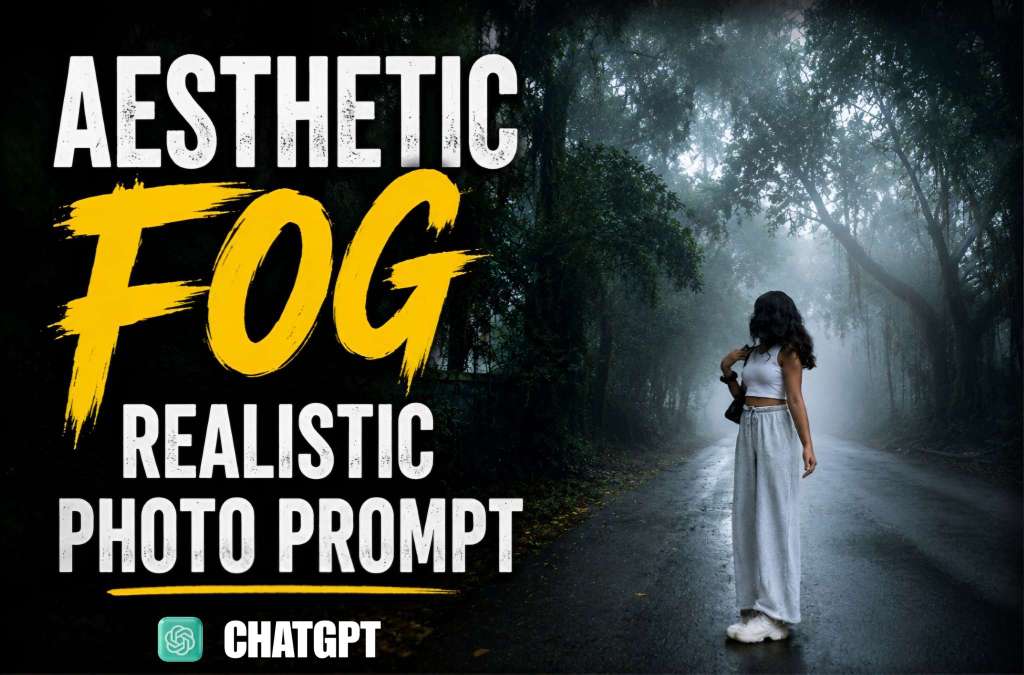
Moody aesthetic photography is one of the biggest Instagram trends right now, and foggy forest portraits are leading the style. The combination of soft mist, dark trees, and dramatic lighting creates a mysterious atmosphere that instantly grabs attention. This editing style makes even a simple photo look like a professional movie scene. Whether you use ChatGPT AI prompts or any AI image generator, this aesthetic fog effect gives your images a premium cinematic feel that performs well on Instagram Reels, Stories, and posts.
Why the Aesthetic Fog Style Is Trending on Instagram
People love photos that tell a story, and fog creates mystery without needing complex editing. The natural shadows, soft light, and deep green forest background produce an emotional look that feels realistic and artistic at the same time. Creators are using this style for fashion photography, travel content, lifestyle posts, and profile pictures because it gives every image a dramatic visual impact. The clean white outfit against the dark environment also creates strong contrast, making the subject stand out beautifully.
How AI Creates a Realistic Fog Effect
Modern AI image tools understand lighting, shadows, reflections, and atmospheric depth much better than before. A well-written prompt can generate realistic fog flowing between trees, soft morning light filtering through the forest, wet roads with natural reflections, and cinematic color grading. AI also enhances fine details like clothing texture, skin tone, and depth of field while maintaining a natural appearance. The final result feels like it was captured with a professional DSLR camera during an early morning forest shoot.
Tips to Make Your AI Photo Look More Professional
The secret behind a realistic AI edit is keeping the prompt detailed but natural. Describe the lighting, weather, camera angle, depth of field, and mood instead of only mentioning fog. Request soft cinematic lighting, HDR quality, realistic shadows, natural skin tones, high-detail textures, and an 8K finish. A forest road, misty atmosphere, and balanced color grading help create a premium aesthetic look that appears authentic instead of overly edited. Adding subtle reflections on the road and soft background blur further increases realism.
Best Ways to Share This Style on Instagram
This editing style works exceptionally well for Instagram because it captures attention within the first few seconds. Use high-resolution images with a clean composition and pair them with a short, engaging caption. Reels featuring before-and-after transformations or AI editing demonstrations often receive better engagement than static posts. Consistent use of cinematic tones, moody lighting, and realistic effects also helps create a recognizable editing style that encourages more followers to interact with your content.
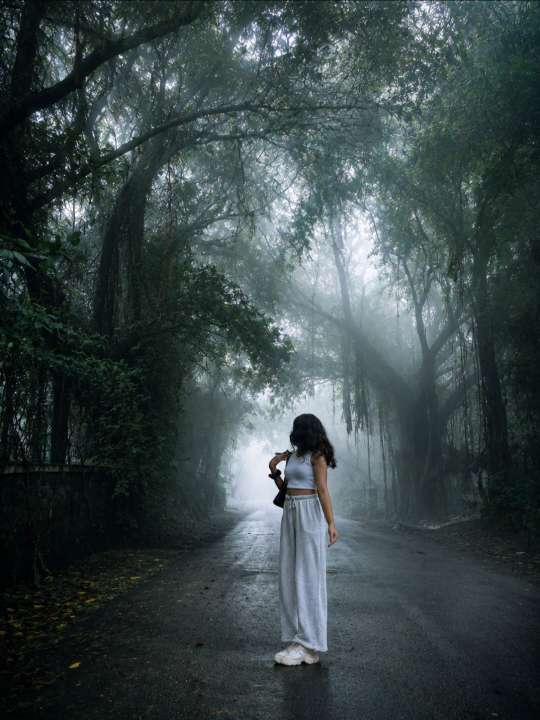
Copy prompt⬇️
Transform this image into a breathtaking ultra-realistic foggy forest masterpiece. Add dense natural white fog covering the entire environment, creating a mysterious and cinematic atmosphere. Apply rich forest-inspired color grading with deep emerald green, dark teal, moss green, and earthy brown tones. Enhance the trees, foliage, and background elements to resemble a lush enchanted forest hidden in the mist. Introduce soft volumetric light rays subtly penetrating through the fog, creating depth and realism.Increase overall image quality to ultra-high-definition 4K resolution with razor-sharp details, HDR enhancement, realistic textures, balanced contrast, and natural color harmony. Improve shadows, highlights, and dynamic range while maintaining a realistic appearance. Add a moody woodland aesthetic, dreamy fog layers, atmospheric perspective, and professional cinematic photography grading. The final result should look like a premium DSLR forest photograph captured during a cold misty morning, with ultra-realistic details, immersive depth, soft natural lighting, and stunning visual quality.Style: Cinematic Forest Photography, Moody Nature, Dense Fog Weather, Volumetric Lighting, HDR, Ultra Realistic, Professional Color Grading, 4K Quality, DSLR Shot, Atmospheric Depth, Photorealistic.
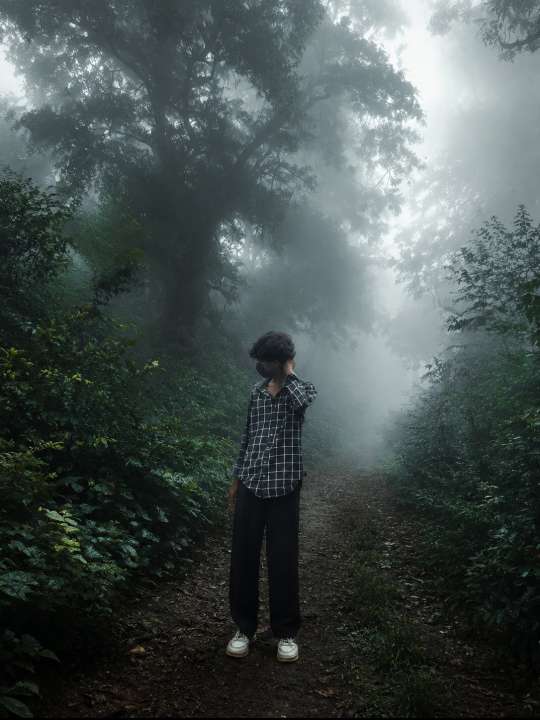
Copy prompt ⬇️
Transform this image into a breathtaking ultra-realistic foggy forest masterpiece. Add dense natural white fog covering the entire environment, creating a mysterious and cinematic atmosphere. Apply rich forest-inspired color grading with deep emerald green, dark teal, moss green, and earthy brown tones. Enhance the trees, foliage, and background elements to resemble a lush enchanted forest hidden in the mist. Introduce soft volumetric light rays subtly penetrating through the fog, creating depth and realism.
Increase overall image quality to ultra-high-definition 4K resolution with razor-sharp details, HDR enhancement, realistic textures, balanced contrast, and natural color harmony. Improve shadows, highlights, and dynamic range while maintaining a realistic appearance. Add a moody woodland aesthetic, dreamy fog layers, atmospheric perspective, and professional cinematic photography grading. The final result should look like a premium DSLR forest photograph captured during a cold misty morning, with ultra-realistic details, immersive depth, soft natural lighting, and stunning visual quality.
Style: Cinematic Forest Photography, Moody Nature, Dense Fog Weather, Volumetric Lighting, HDR, Ultra Realistic, Professional Color Grading, 4K Quality, DSLR Shot, Atmospheric Depth, Photorealistic.
Final Thoughts
The Aesthetic Fog Realistic Photo Prompt is perfect for anyone who wants to create eye-catching Instagram content without spending hours on manual editing. With the right AI prompt, you can transform an ordinary image into a cinematic masterpiece featuring realistic fog, dramatic lighting, rich colors, and professional-quality details. As this editing trend continues to grow across Instagram, using realistic AI prompts can help your photos stand out, attract more engagement, and give your profile a modern, premium aesthetic that viewers instantly recognize and remember.