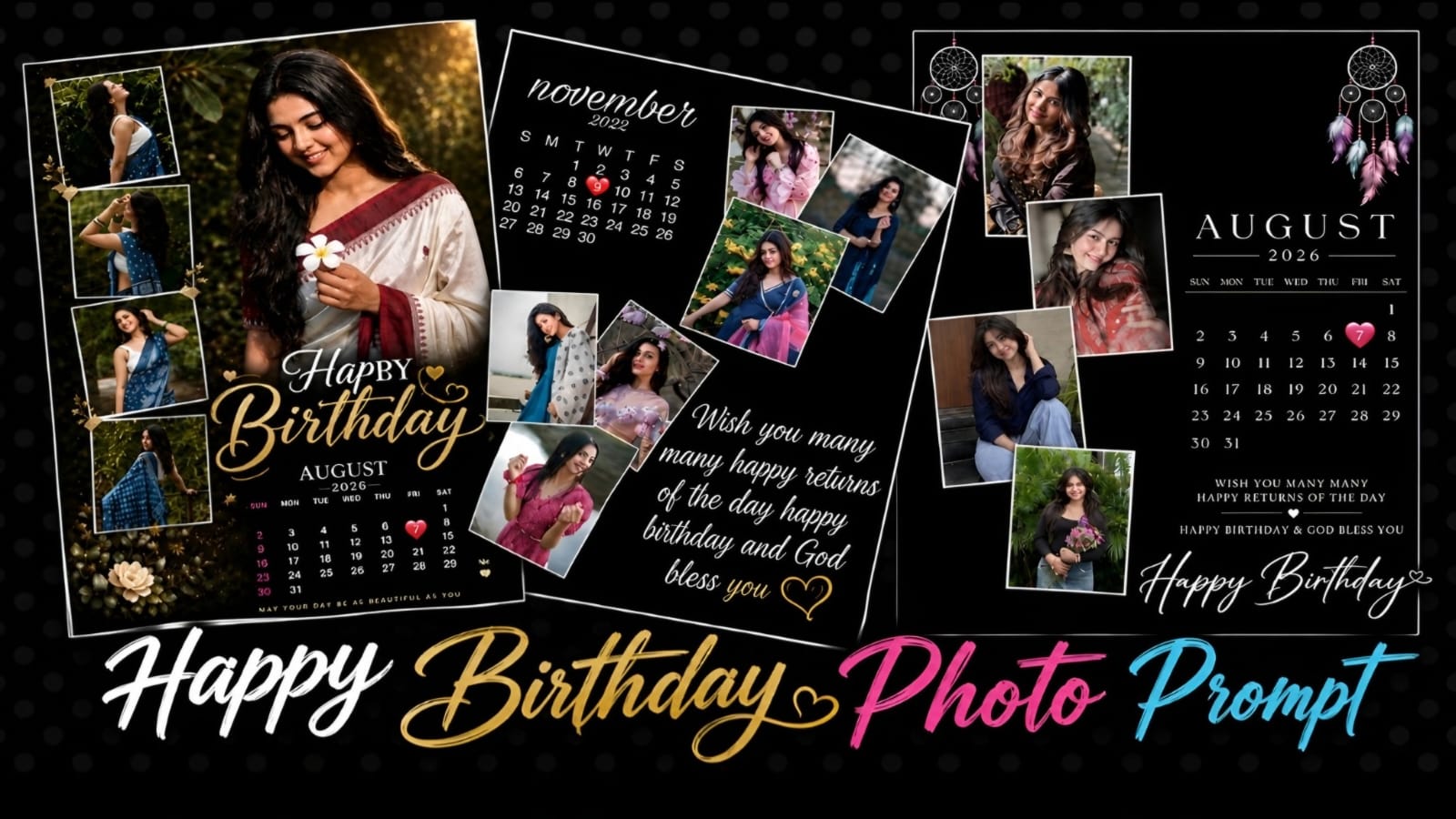
Happy Birthday Photo Editng Promt – Birthday Photo Editing
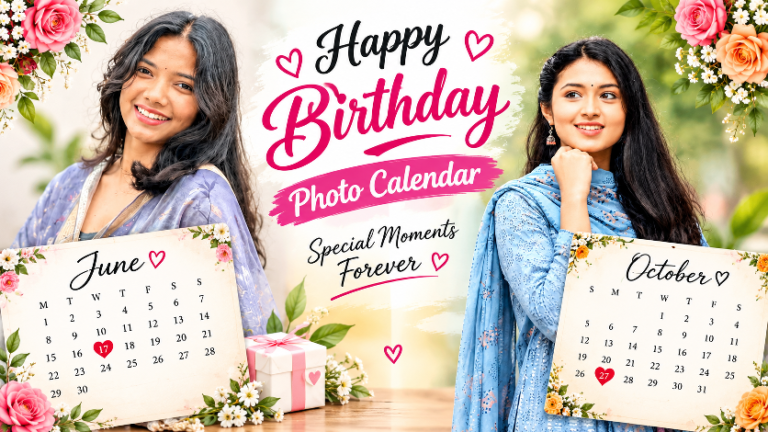
Celebrate your special day with a beautiful and creative Happy Birthday Photo Prompt designed to turn your regular pictures into a premium birthday photo collage.This prompt is for those who want to create a birthday poster using AI photo editing.The design combines multiple photos, an elegant birthday calendar, beautiful typography, decorative elements, and a premium background. You can use your own photos and customize the birthday month, year, date, and birthday wishes according to your requirements.
Create a Beautiful Birthday Photo
This birthday photo is created to make your picture attractive. One main photo can be used as the hero portrait, while the remaining photos can be arranged inside stylish frames around it.The main portrait should be larger and more prominent than the other photos. The additional photos can be placed in different positions with clean white borders, creating a creative collage effect. This arrangement makes the final image look like a professionally designed birthday memory poster.
Birthday Calendar Design
This is the most attractive birthday calendar in the prompt. You can add your birthday month and year to the calendar and highlight your special birthday date with a heart or another elegant design element.The calendar should have a clean and elegant appearance with readable numbers and stylish typography so that it matches the overall birthday design.
Multiple Photo Collage
You can upload a beautiful photo to create a birthday photo.Choose clear and high-quality pictures with different poses, outfits, and backgrounds. Using different types of photos makes the final collage more interesting and visually appealing.For the best results, use a clear main portrait where the face is properly visible. The other photos can be used as smaller supporting images around the main portrait.The AI editing tool should preserve the original appearance of the person, including facial features, skin tone, hairstyle, expression, and overall identity.
Premium Birthday Theme. The overall design can use a premium black background with elegant white borders and golden decorative elements. Small hearts, stars, flowers, or other subtle decorations can be added to make the poster more attractive without making it look overcrowded.The typography should be stylish, clean, readable, and perfectly balanced with the photos.
Perfect for Social Media
This birthday photo design is perfect for sharing on Instagram, Facebook, WhatsApp Status, and other social media platforms. You can create a personalized birthday poster and share it with your friends and family.The design can also be resized according to the platform you want to use. For Instagram, you can choose a suitable portrait size, while for WhatsApp Status or Stories, a vertical format can be used.
How to Use the Birthday Prompt
First, select your best birthday photos. Try to use high-resolution images where the face and important details are clearly visible. Next upload the selected photos into your preferred AI photo editing tool and use the birthday prompt. Choose one image as the main hero portrait and use the remaining images as supporting photos.After uploading the images, customize the birthday month, year, and date. You can also change the birthday message according to your preference.The AI tool can then arrange the photos into a creative birthday collage while adding the calendar, typography, decorative elements, and birthday wishes.
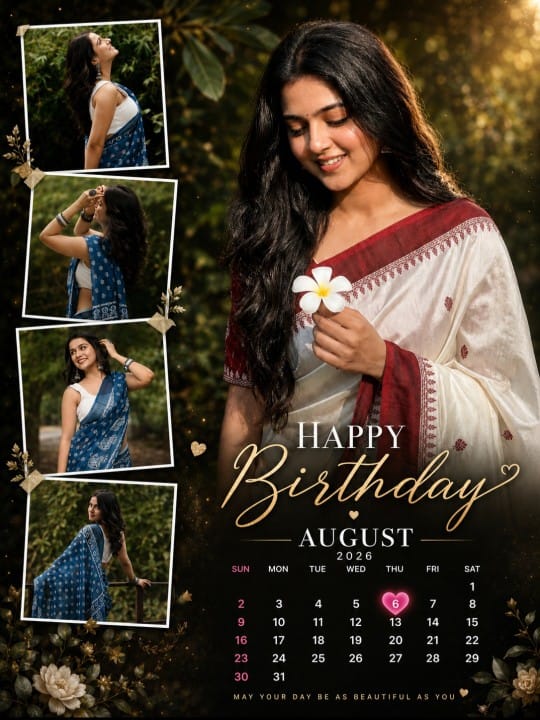
Copy Prompt ⤵️
Create a premium, ultra-realistic birthday calendar photo-editing poster using the 5 uploaded reference photos.
PHOTO ARRANGEMENT
- Use Photo 1 as the main hero portrait, large and prominent on the right/center side.
- Keep Photo 1’s face, facial features, skin tone, hairstyle, expression, body proportions and clothing exactly as the uploaded photo.
- Use Photos 2, 3, 4 and 5 as four smaller stylish portrait frames arranged vertically/diagonally on the left side.
- Make all 5 photos blend naturally into one professional birthday poster.
- Add thin elegant white borders around the 4 smaller photos.
- Keep every person’s face 100% recognizable and unchanged. Do not replace or distort faces.
BACKGROUND & DESIGN
Create a luxurious, cinematic birthday background with:
- dark blurred outdoor/nature background
- soft depth of field
- subtle golden light
- elegant vignette
- premium photography look
- realistic shadows and highlights
- clean composition
- high-end Instagram/Pinterest birthday poster aesthetic
The main portrait should be the biggest element and should stand out clearly from the background.
TEXT
Add large elegant text:
[MONTH NAME]
Below it, add a clean monthly calendar.
Add:
HAPPY
Birthday
Use a combination of bold modern typography for “HAPPY” and elegant handwritten/script typography for “Birthday”.
EDITABLE DATE
The calendar must be generated according to the exact month and year I specify.
Use:
Month: [MONTH]
Year: [YEAR]
Birthday Date: [DATE]
Correctly place the birthday date on the actual corresponding day of the week in the calendar.
Highlight only the birthday date with a beautiful pink heart/circle/glowing badge, while keeping all other dates clean and white.
Do not invent or misplace calendar dates.
IMPORTANT
- Do not add extra people.
- Do not change the identity of anyone in the uploaded photos.
- Do not change facial features.
- Do not over-smooth or beautify faces.
- Do not crop important parts of the main portrait.
- Keep the 5 uploaded photos clearly visible.
- Make the design look like a professionally designed birthday photoshoot poster, not an AI-generated collage.
- Sharp details, realistic skin texture, natural lighting, premium DSLR photography quality.
- 4K ultra-high-resolution output.
- Vertical Instagram portrait format 4:5.
Before generating, use the uploaded 5 photos as the only photo references and preserve their original appearance as accurately as possible.
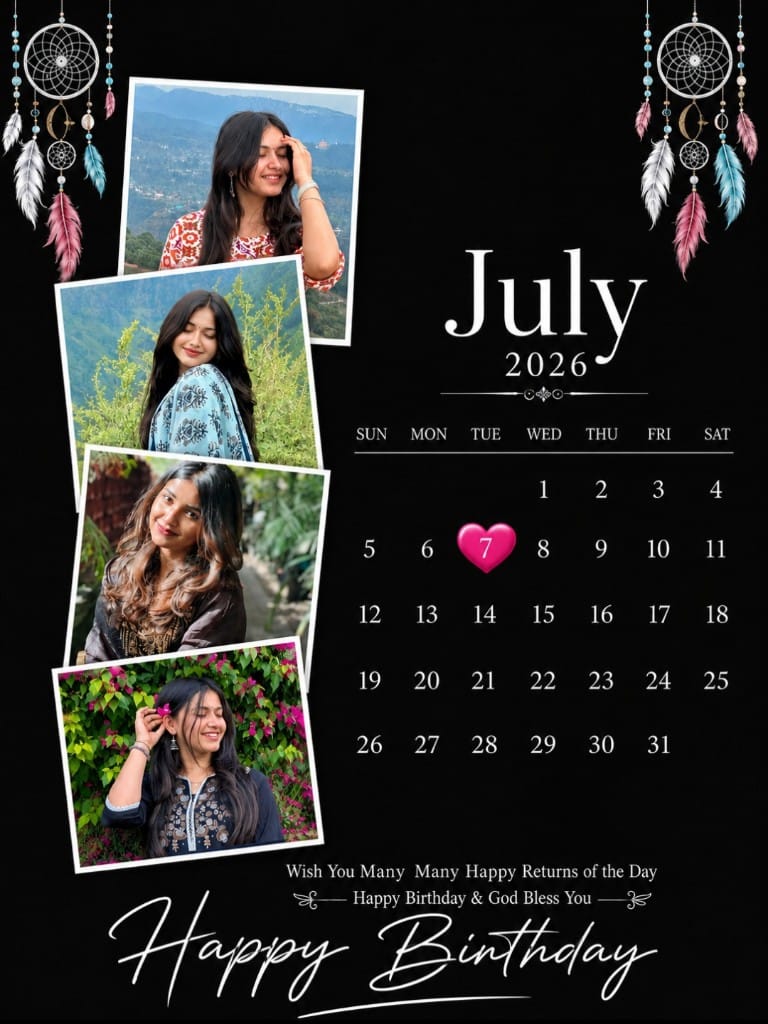
Copy Prompt ⤵️
Create a premium, ultra-realistic birthday calendar poster in a vertical 4:5 Instagram format (1080×1350 px). Use the 4 uploaded photos as the only identity references. Keep each person’s face, hairstyle, skin tone, expression, clothing, and body proportions exactly unchanged. Do not alter or beautify the faces.
Background: Pure matte black with a clean luxury aesthetic.
Left Side: Arrange the 4 uploaded photos in stylish overlapping white-bordered polaroid frames with soft shadows. Each photo should have different sizes and positions to create a premium collage look.
Top Decoration: Add elegant dreamcatcher artwork on the top corners (or similar minimal boho hanging decoration) in white with subtle colorful accents.
Right Side: Add a clean, modern calendar.
Month: [CHANGE MONTH]
Year: [CHANGE YEAR]
Highlight Date: [CHANGE DATE] with a glossy pink heart shape behind the number.
Calendar should have elegant white typography and perfect spacing.
Bottom Text:
Wish You Many Many Happy Returns of the Day
Happy Birthday & God Bless You
At the bottom, write Happy Birthday in a beautiful handwritten white script font.
Design Style: Minimal, elegant, luxury, Instagram-worthy, high contrast, clean layout, premium typography, realistic shadows, professional graphic design, ultra HD, 8K quality, sharp details, modern birthday poster, no watermark, no extra objects, photorealistic.
Tips for Better Results
For the best output, always use high-quality and clear photos. Avoid extremely blurry or low-resolution images. Select photos with different poses so that the collage looks more dynamic Make sure the main portrait has good lighting and a clearly visible face. If the AI generates incorrect text or calendar details, you can correct them later using Canva, Photoshop, or another photo editing application.You can also customize the background, colors, typography, birthday message, calendar style, and photo arrangement to create your own unique birthday design.
Conclusion
The Happy Birthday Photo Prompt is a simple and creative way to transform your regular pictures into a beautiful birthday memory.By combining multiple photos, a personalized birthday calendar, elegant typography, stylish frames, and premium decorations, you can create a professional-looking birthday poster with the help of AI.If you want to create a birthday photo for yourself or your friends, this prompt will help you create unique photos.