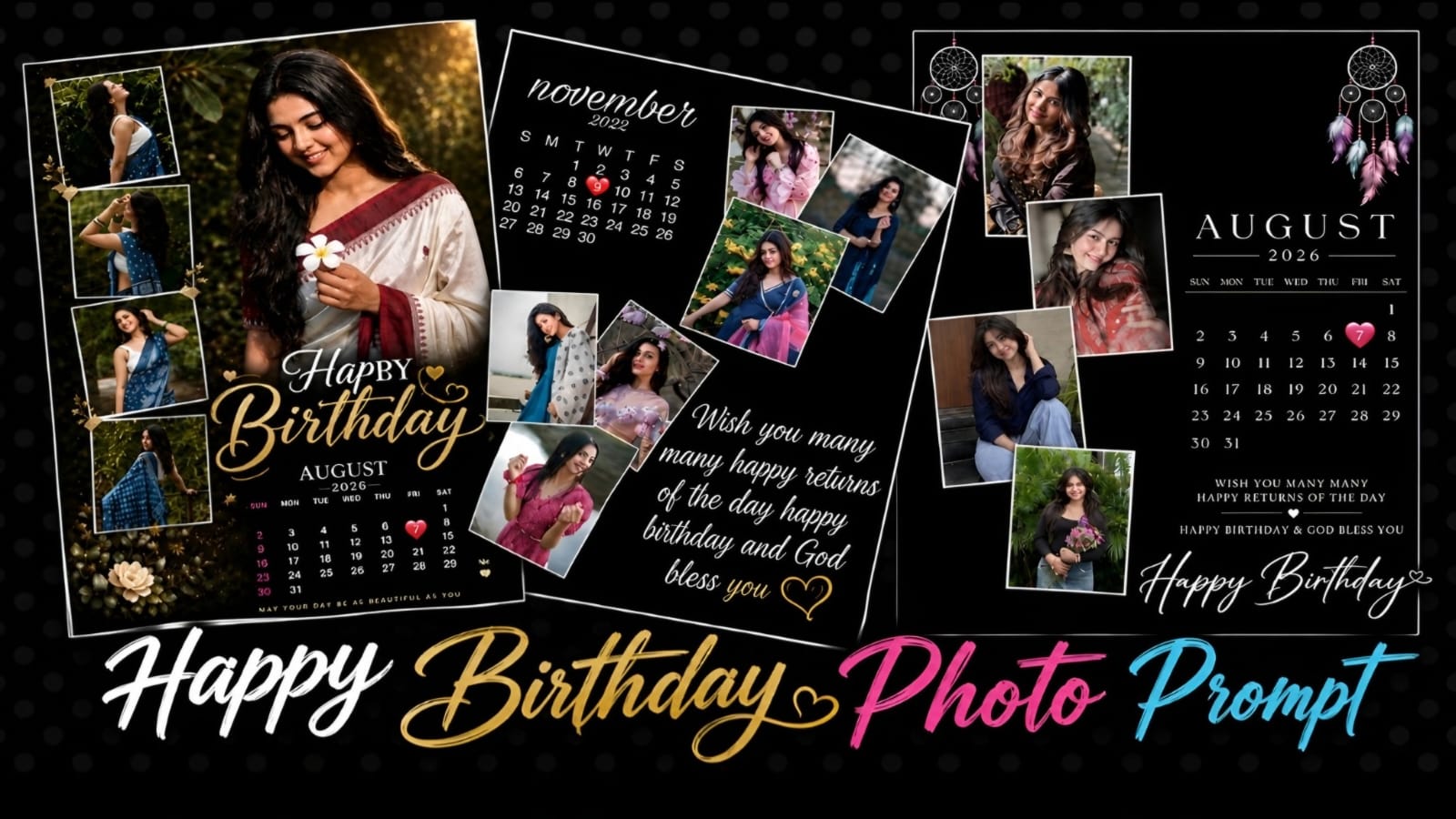
Happy Birthday Photo Editing Prompt – Create Birthday Photos with AI
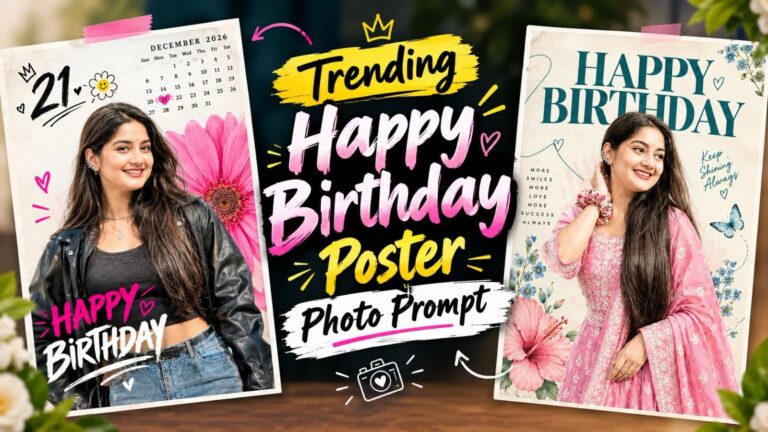
Celebrate your special day with a beautiful and creative Happy Birthday Photo Prompt designed to turn your regular pictures into a premium birthday photo collage.This prompt is for those who want to create a birthday poster using AI photo editing.The design combines multiple photos, an elegant birthday calendar, beautiful typography, decorative elements, and a premium background. You can use your own photos and customize the birthday month, year, date, and birthday wishes according to your requirements.
Create a Beautiful Birthday Photo
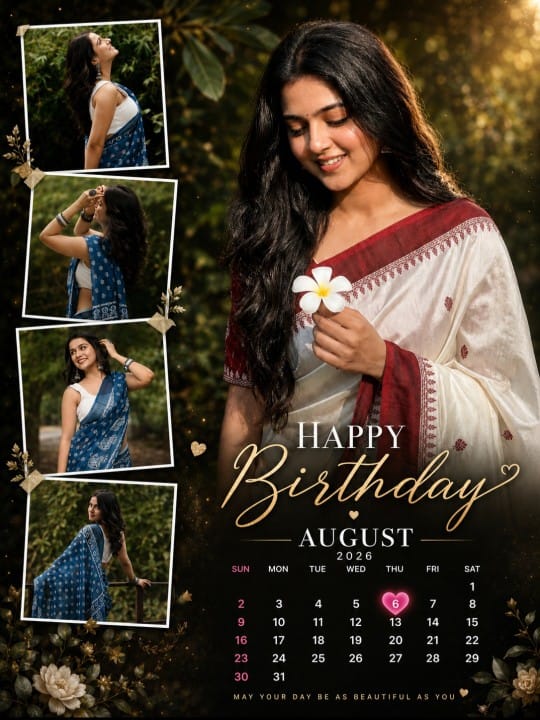
This birthday photo is created to make your picture attractive. One main photo can be used as the hero portrait, while the remaining photos can be arranged inside stylish frames around it.The main portrait should be larger and more prominent than the other photos. The additional photos can be placed in different positions with clean white borders, creating a creative collage effect. This arrangement makes the final image look like a professionally designed birthday memory poster.
Birthday Calendar Design
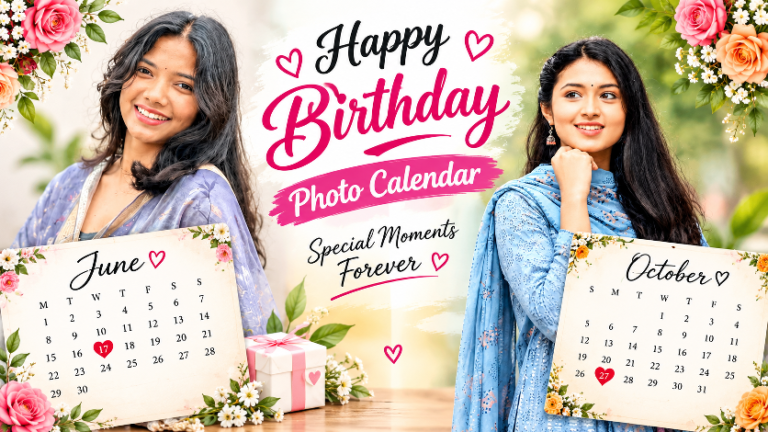
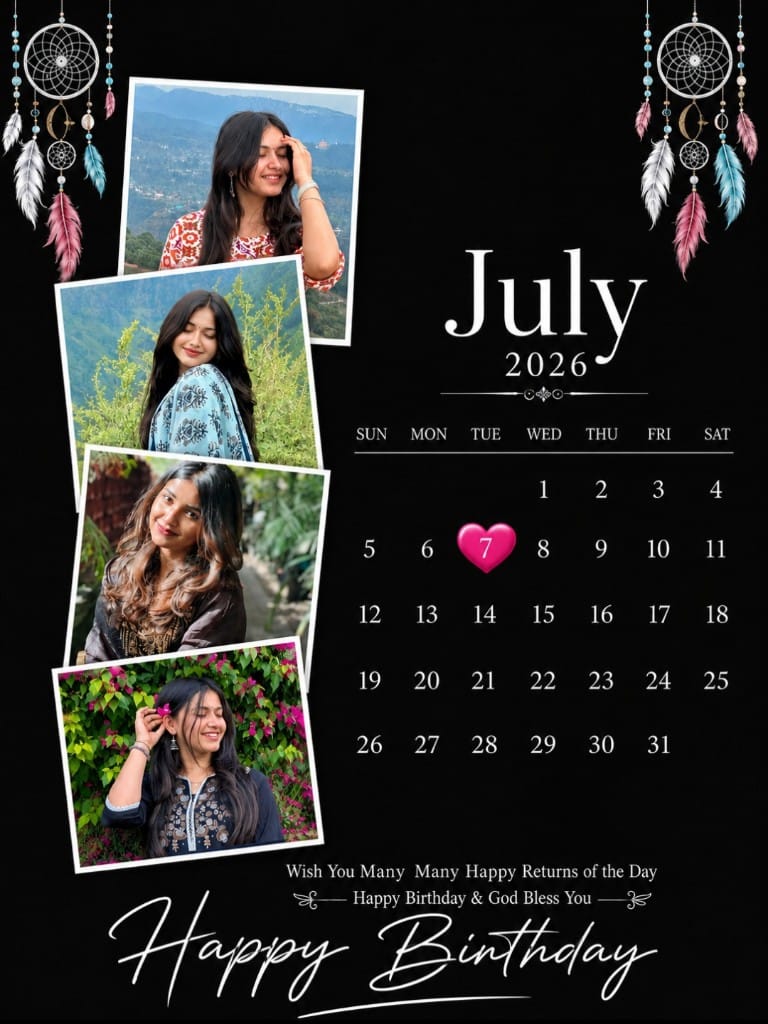
This is the most attractive birthday calendar in the prompt. You can add your birthday month and year to the calendar and highlight your special birthday date with a heart or another elegant design element.The calendar should have a clean and elegant appearance with readable numbers and stylish typography so that it matches the overall birthday design.
Multiple Photo Collage
You can upload a beautiful photo to create a birthday photo.Choose clear and high-quality pictures with different poses, outfits, and backgrounds. Using different types of photos makes the final collage more interesting and visually appealing.For the best results, use a clear main portrait where the face is properly visible. The other photos can be used as smaller supporting images around the main portrait.The AI editing tool should preserve the original appearance of the person, including facial features, skin tone, hairstyle, expression, and overall identity.
Premium Birthday Theme. The overall design can use a premium black background with elegant white borders and golden decorative elements. Small hearts, stars, flowers, or other subtle decorations can be added to make the poster more attractive without making it look overcrowded.The typography should be stylish, clean, readable, and perfectly balanced with the photos.
Perfect for Social Media
This birthday photo design is perfect for sharing on Instagram, Facebook, WhatsApp Status, and other social media platforms. You can create a personalized birthday poster and share it with your friends and family.The design can also be resized according to the platform you want to use. For Instagram, you can choose a suitable portrait size, while for WhatsApp Status or Stories, a vertical format can be used.
How to Use the Birthday Prompt
First, select your best birthday photos. Try to use high-resolution images where the face and important details are clearly visible. Next upload the selected photos into your preferred AI photo editing tool and use the birthday prompt. Choose one image as the main hero portrait and use the remaining images as supporting photos.After uploading the images, customize the birthday month, year, and date. You can also change the birthday message according to your preference.The AI tool can then arrange the photos into a creative birthday collage while adding the calendar, typography, decorative elements, and birthday wishes.
Copy Prompt ⤵️
Copy Prompt ⤵️
Tips for Better Results
For the best output, always use high-quality and clear photos. Avoid extremely blurry or low-resolution images. Select photos with different poses so that the collage looks more dynamic Make sure the main portrait has good lighting and a clearly visible face. If the AI generates incorrect text or calendar details, you can correct them later using Canva, Photoshop, or another photo editing application.You can also customize the background, colors, typography, birthday message, calendar style, and photo arrangement to create your own unique birthday design.
Preparing Your Photos First
This prompt arranges several pictures into one birthday layout, so the quality of the layout depends on the set you upload rather than on the wording. Pick photos that already look like they belong together: similar lighting, similar distance from the camera, and the same person clearly visible in each one.
- Four photos is the usual number for a clean layout.
- Keep one photo as the main picture, ideally a clear portrait.
- Avoid screenshots and heavily compressed images forwarded over chat apps.
Step-by-Step: Using the Birthday Prompt
- Copy the full prompt from the box above. Do not leave out any part of it.
- Open an AI image tool that accepts a photo along with the text. ChatGPT with image generation, Google Gemini and Grok all work with this kind of prompt.
- Upload all the photos together in one message, then paste the prompt.
- Paste the prompt and send it.
- Wait for the image to generate, then download it in the highest size the tool offers.
- If the first result is not right, send the same prompt again. AI tools give a different image every time.
If the Layout Comes Out Wrong
- Dates or numbers are misspelled. AI tools are unreliable with text inside images. Ask for the layout without text and add the date yourself in a phone editor.
- Only one photo was used. Say use all four uploaded photos, one in each section and run it again.
- The face was changed. Add preserve the exact face from the uploaded photo, do not beautify.
- The design looks cluttered. Add minimal decoration, more white space.
Frequently Asked Questions
Can I use this for someone else’s birthday?
Yes. Upload their photos instead of yours. Nothing in the prompt is tied to a particular person.
Can I print the result?
For a small print it is usually fine. For anything larger than A4, generate at the highest size available, because AI images do not enlarge well afterwards.
How many photos can I include?
Three to five is the practical range. Beyond that each picture becomes too small to recognise in the finished layout.
Conclusion
The Happy Birthday Photo Prompt is a simple and creative way to transform your regular pictures into a beautiful birthday memory.By combining multiple photos, a personalized birthday calendar, elegant typography, stylish frames, and premium decorations, you can create a professional-looking birthday poster with the help of AI.If you want to create a birthday photo for yourself or your friends, this prompt will help you create unique photos.